Manuscript
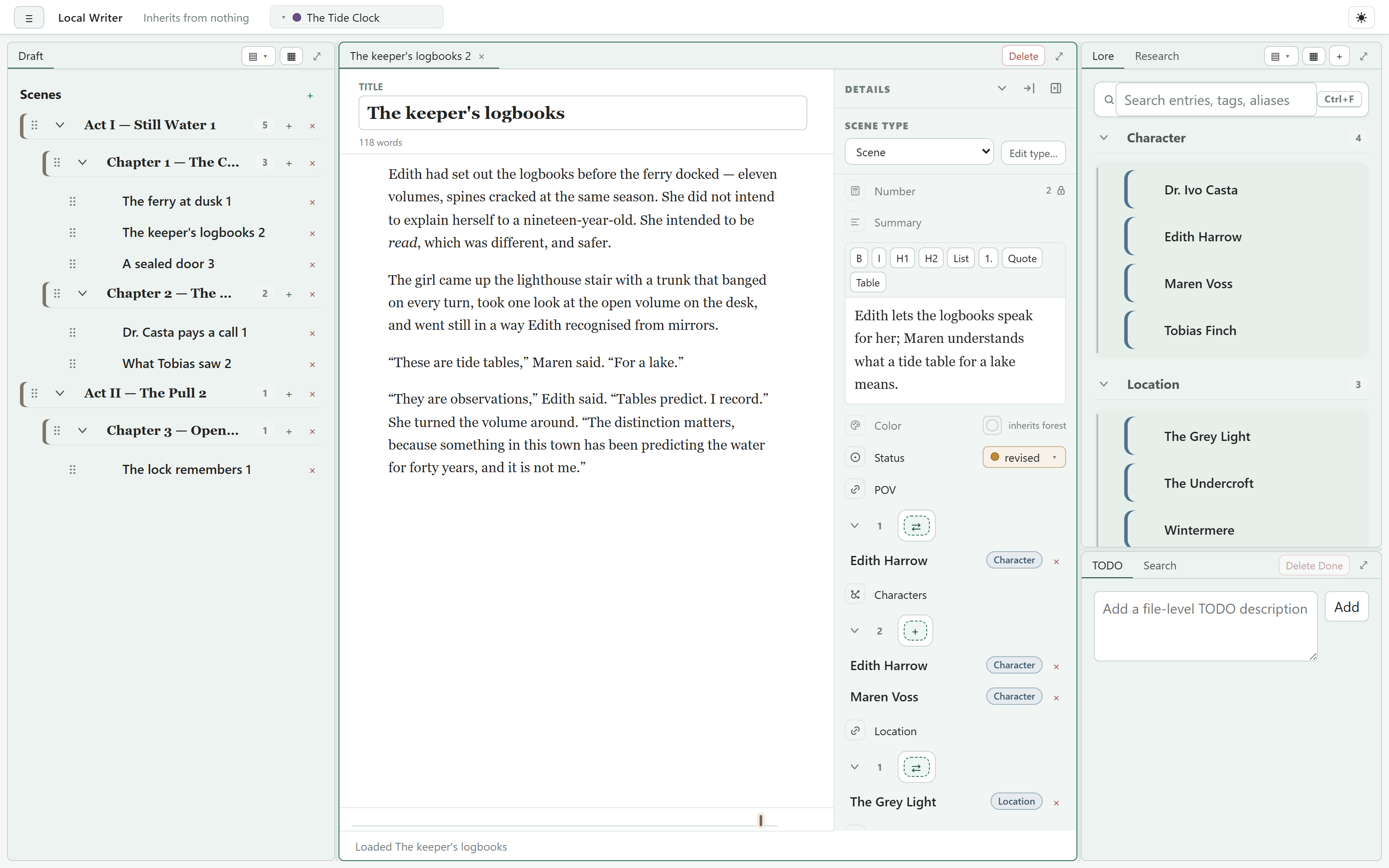
Acts, chapters, and scenes — or whatever levels you name — with drag-reordering. Scenes are Markdown files behind a WYSIWYG editor; point of view and tense set on a chapter carry down to its scenes.
Lore
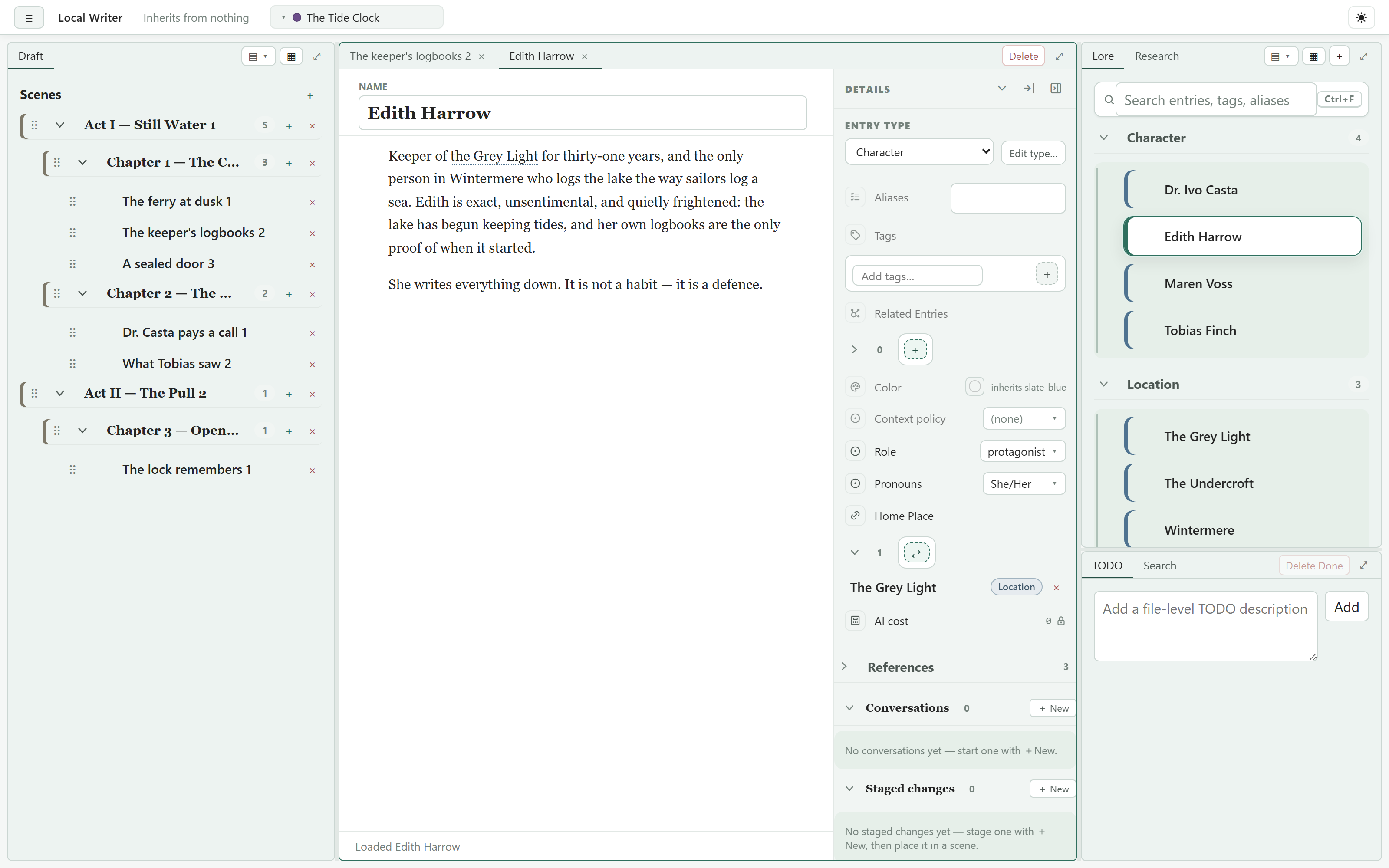
Characters, places, and anything else — typed entries with fields, tags, references, and backlinks. Mutation sets let a fact change partway through the story, with a timeline showing the effective state at any point.
Plot boards
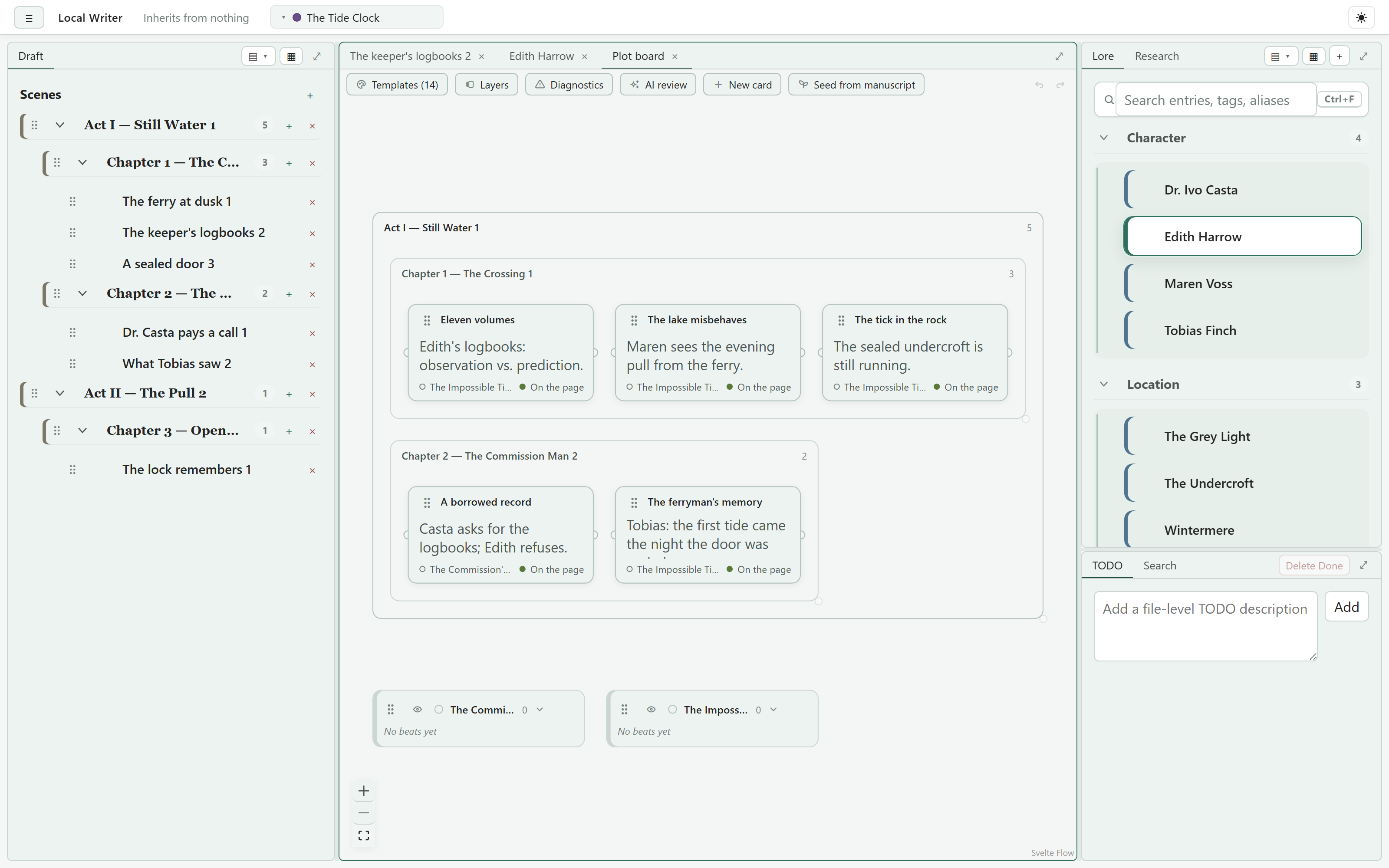
Plotlines and cards laid out against the manuscript, so structure is something you can see and rearrange, not just imagine. Decks and templates give you a starting shape.
Views
Every list is backed by a small set-algebra query — union, intersection, filters, relational nesting over lore links — authored in a drag-and-drop designer, with parameters, grouping, and trees.
Layered metadata schema
Model world / series / book levels purely by folder depth: a book inherits the layers it declares, nearer ones override farther ones, and node types, fields, and inheritance are authored in-app.
AI, when you want it
Anthropic, OpenAI, OpenRouter, or local models via Ollama. A built-in library of prompts — Draft scene, Continue, line edits, brainstorms — that are Jinja2 templates you can read and clone. Lore is fitted to a budget you set, and every call's token cost rolls up to a project total.
Revising
A lore check pins notes to the exact words that contradict your lore, as of that point in the story. Line edits arrive as diffs to accept or reject. Change an entry, and Propagate finds what depends on it.
Roleplay
Characters take turns in a scene, each in their own voice and with private thoughts; a finalize pass turns the exchange into prose.
A manual built in
Guides for everything from your first scene to writing your own prompts — here, and in the app under Help → Guides. Updates arrive in-app on a Stable or Nightly channel.